
Download WireGuard – Fast, Secure, and Modern VPN Tunnel
Overview
WireGuard has quickly become one of the most talked‑about VPN solutions in the networking community. Born in 2019 from the mind of security researcher Jason A. Donenfeld, this open‑source protocol promises a blend of high performance, rock‑solid cryptography, and a minimalist codebase that is easier to audit than traditional VPNs.
While classic options like OpenVPN have dominated the market for over two decades, WireGuard positions itself as a lightweight alternative that can run on everything from tiny embedded devices to powerful data‑center servers. The software is free to download, fully cross‑platform, and is designed to be as simple to configure as SSH – you just exchange a pair of public keys and the tunnel is ready. Despite still being under active development, WireGuard is already considered production‑ready by many major Linux distributions and is gaining traction on Windows, macOS, Android, and iOS.
If you’re looking for a VPN that delivers three‑times the speed of OpenVPN, consumes less bandwidth, and offers a smaller attack surface, WireGuard is worth a closer look.
Key Features and Technical Highlights
- State‑of‑the‑art cryptography: Utilises modern algorithms such as Curve25519, ChaCha20, Poly1305, and BLAKE2s for key exchange, encryption, authentication, and hashing.
- Lightning‑fast performance: Benchmarks show WireGuard can be up to 3× faster than OpenVPN, with lower CPU usage and reduced latency.
- Small code footprint: At roughly 4,000 lines of code, the protocol is easier to audit, resulting in a smaller attack surface.
- Seamless roaming: Handles network changes (Wi‑Fi ↔ cellular, IPv4 ↔ IPv6) without dropping the tunnel, making it ideal for mobile users.
- Cross‑platform support: Native clients for Windows, macOS, Linux, Android, and iOS, plus integration with popular network managers.
- Simple key‑based authentication: No certificates or complex PKI; just generate a private/public key pair for each endpoint.
- Stateless design: No need for a dedicated server process; the kernel module handles packet routing directly.
- Open‑source and free: Licensed under GPLv2, allowing anyone to inspect, modify, or redistribute the code.
Why Performance Matters
Modern internet usage—streaming 4K video, real‑time gaming, and cloud‑based workspaces—requires a VPN that does not become a bottleneck. WireGuard’s lean architecture means fewer context switches between user space and kernel space, which directly translates to lower latency and higher throughput. Moreover, its efficient handling of cryptographic operations reduces battery drain on mobile devices, a notable advantage over legacy protocols that often consume more power during prolonged sessions.
Security By Design
The protocol deliberately avoids legacy algorithms and features that have historically been sources of vulnerabilities. By relying exclusively on a curated set of modern primitives, WireGuard eliminates many of the configuration pitfalls that can plague OpenVPN deployments (e.g., weak ciphers, outdated TLS versions). The simplicity also means security audits can be performed more quickly, and any discovered issues can be patched with minimal disruption.
Installation, Configuration, and Compatibility
Installing WireGuard is straightforward on all major operating systems. Below is a step‑by‑step guide that covers the most common platforms. Each step assumes you have administrative rights on the target machine.
Windows 10/11
- Visit the official WireGuard website and download the Windows installer (.exe).
- Run the installer and follow the wizard prompts; the installer will add a system service and a user‑friendly GUI.
- Open the WireGuard app, click “Add Tunnel” → “Add empty tunnel”.
- Generate a key pair by clicking “Generate” next to the PrivateKey field.
- Copy the generated PublicKey and share it with the remote peer.
- Enter the peer’s PublicKey, AllowedIPs (e.g., 0.0.0.0/0 for full tunnel), and Endpoint (IP:Port).
- Save the configuration and toggle the tunnel on.
macOS (Catalina and later)
- Download the macOS .pkg installer from the WireGuard website or install via Homebrew:
brew install wireguard-tools. - Launch the WireGuard app from Applications.
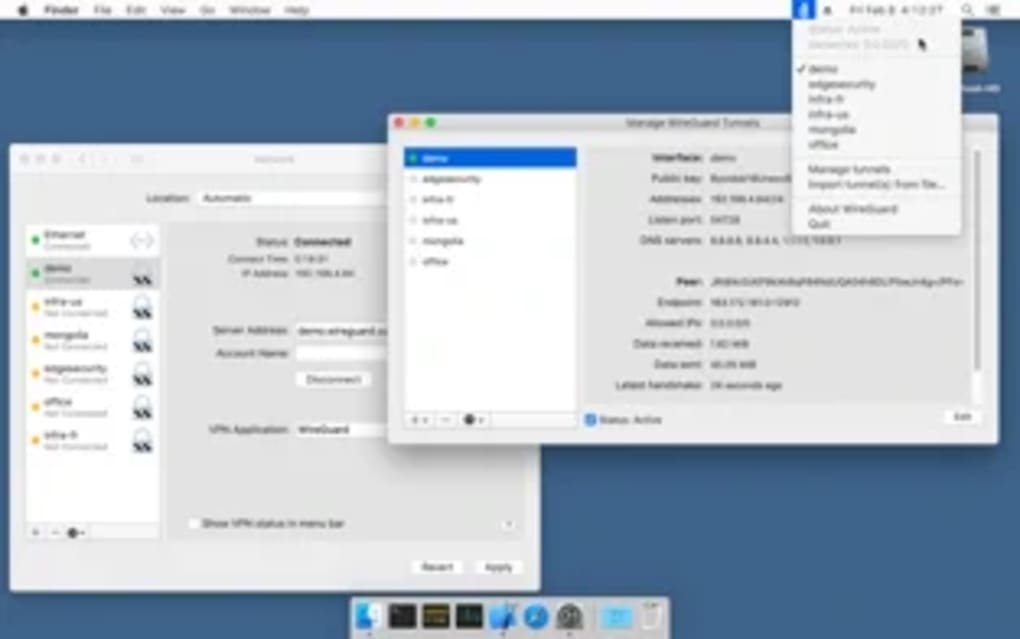
- Create a new tunnel, generate keys, and fill in the peer information just as described for Windows.
- Optionally, use the command line:
wg-quick up wg0after placing awg0.conffile in/usr/local/etc/wireguard/.
Linux Distributions
Most major distributions include WireGuard in their repositories. For Debian/Ubuntu:
sudo apt update
sudo apt install wireguard
After installation, create a configuration file /etc/wireguard/wg0.conf with the appropriate keys and peer details, then bring the interface up with sudo wg-quick up wg0. The wg command provides real‑time status and statistics.
Android and iOS
Mobile users can simply download the WireGuard app from Google Play Store or Apple App Store. The app includes an import feature that accepts QR codes, .conf files, or direct key entry. After importing or creating a tunnel, toggling the switch establishes the VPN instantly. Background operation is supported, and the app respects the operating system’s power‑saving policies.
Compatibility (itemprop="operatingSystem")
WireGuard runs on a wide range of platforms:
- Windows 10, 11 (64‑bit)
- macOS Catalina (10.15) and newer
- Linux kernels 5.6+ (built‑in) or older kernels with the wireguard‑dkms module
- Android 5.0+ (API 21)
- iOS 12+ (requires Apple’s Network Extension framework)
- FreeBSD, OpenBSD, and several embedded systems (e.g., OpenWrt)
Because the protocol lives in the kernel on most platforms, performance is close to native networking speeds. On systems without kernel support, the userspace implementation (wireguard-go) still provides acceptable throughput, albeit with slightly higher CPU usage.
Pros, Cons, and Frequently Asked Questions
Pros
- Exceptional speed and low latency.
- Modern cryptographic primitives ensure strong security.
- Minimal codebase reduces attack surface and eases auditing.
- Simple key‑based configuration eliminates complex certificate management.
- Cross‑platform support, including mobile devices.
- Open‑source and free, with active community contributions.
Cons
- Still relatively new; some enterprise features (e.g., advanced logging) are missing.
- Limited built‑in support for dynamic IP address allocation; relies on external tools for full mesh setups.
- Compatibility issues may arise on very old operating systems without kernel modules.
- No native multi‑hop or obfuscation features (requires additional tools).
FAQ (itemscope itemtype="https://schema.org/FAQPage")
Is WireGuard free to use?
Yes, WireGuard is open‑source software released under the GPLv2 license. You can download, use, and modify it at no cost.
How does WireGuard compare to OpenVPN in terms of security?
WireGuard uses a curated set of modern cryptographic algorithms, eliminating many legacy options that can be vulnerable. While both provide strong encryption, WireGuard’s smaller attack surface and easier auditability often make it a more transparent security choice.
Can I use WireGuard on a mobile device?
Absolutely. Official WireGuard apps are available for Android and iOS, supporting background operation, QR‑code import, and automatic reconnection on network changes.
Do I need a dedicated server to run WireGuard?
No. WireGuard can run on any device with a compatible kernel—this includes routers, Raspberry Pi, VPS instances, or even a personal laptop. The minimal resource footprint makes it ideal for low‑power hardware.
How do I troubleshoot a dropped WireGuard tunnel?
Start by checking the wg command output for handshake timestamps. If the handshake isn’t occurring, verify that both peers have correct public keys, allowed IPs, and that firewalls allow UDP traffic on the chosen port. Updating the kernel or WireGuard package often resolves compatibility glitches.
Conclusion and Call to Action
WireGuard has carved out a niche as the “fast, modern, and secure” alternative to legacy VPN protocols. Its combination of blistering speed, streamlined configuration, and up‑to‑date cryptography makes it a compelling choice for both casual users and power users who demand performance without sacrificing security. While the project is still evolving—particularly around advanced enterprise features—the core functionality is stable and already trusted by many large‑scale providers.
If you’re ready to replace a sluggish OpenVPN setup, or you simply want a lightweight VPN that works seamlessly across Windows, macOS, Linux, Android, and iOS, download WireGuard today. The free client is just a click away, and the open‑source nature ensures you can trust what’s under the hood.
Take action now: Download WireGuard, follow the quick installation guide above, and experience a faster, more secure internet connection in minutes.
WireGuard delivers on its promise of speed and simplicity. The minimal codebase, modern cryptography, and cross‑platform support set a new benchmark for VPN solutions. While it still lacks some enterprise‑grade features found in OpenVPN, its performance gains and ease of use make it an excellent choice for most users.







